I got bored of editing configs blind, so I shipped a macOS app
I got tired of opening the same config files and still not knowing what options I had. LazyGit keybinds. Ghostty settings. AeroSpace window rules. Zellij layouts. Half the time I was grepping the docs or someone else's dotfiles just to flip one thing I should have been able to see on the desk.
You know the loop. Open the file. Guess which key is real. Search the upstream README. Find three examples that disagree. Change one line. Restart the app. Wonder if you hit a default, an override, or nothing at all. I live in those tools all day. Blind edits got old.
The editor is fine for the text. Bad at the "what can this app even do" part of the job. I wanted a real macOS app on the desk: find the files, edit them in the formats they already use, show me the option space, and only install a template when I say yes.
So I shipped Keylore.
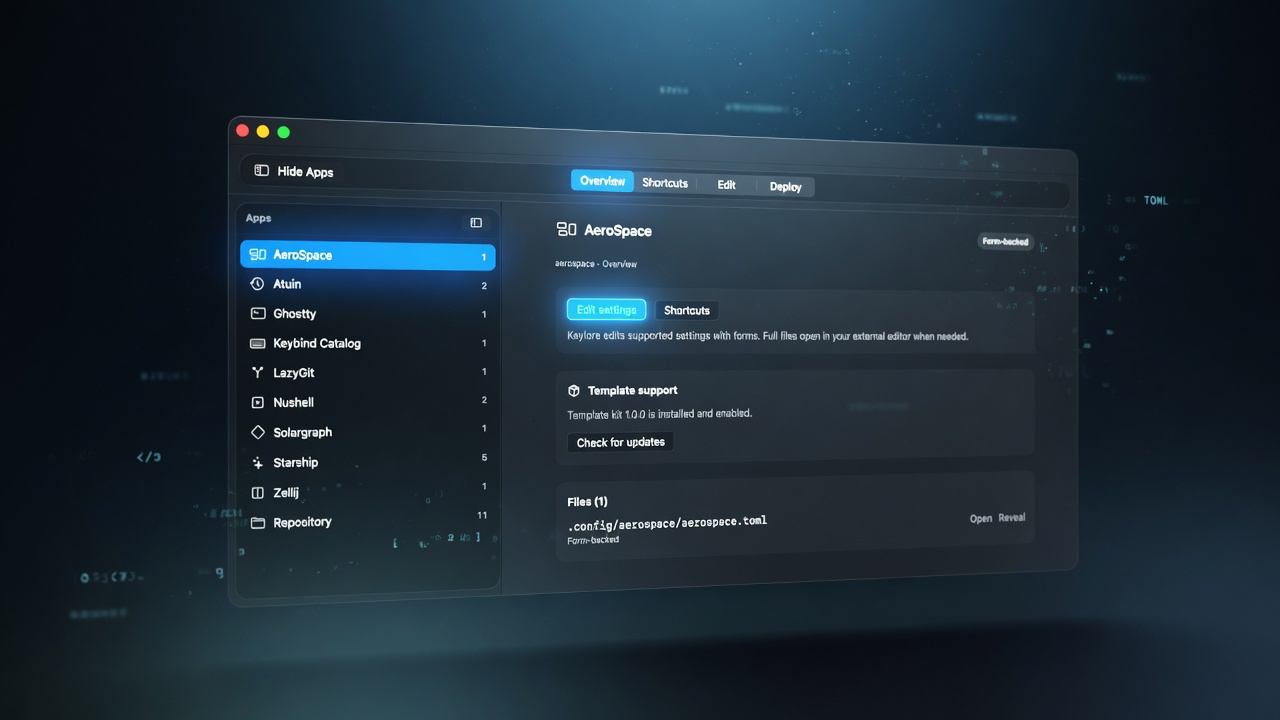
Keylore is a native macOS app for developer app configs. Local-first. Point it at a workspace or a repo layout and it finds the configuration files sitting there. You edit in the formats those tools already speak: TOML, YAML, KDL, and the line formats some of them still use. Previews are there so a save is less of a guess.
Template kits are optional. You opt in. They are data only: signed, declarative payloads. Kits do not ship executables, and they do not run code on your machine. That consent line mattered. I have installed enough "helpful" packages that quietly grew hands.
There is also a shortcuts and defaults view. Effective keybindings from the official defaults plus your overrides, in one place, instead of bouncing between man pages and three config layers. If a tool has a key you never set, you can still see what it does out of the box.
v1 supports LazyGit, Ghostty, AeroSpace, and Zellij. Apple Silicon only. macOS 14+. That is the desk I live on, so that is what shipped first. Those four are the ones I open every week.
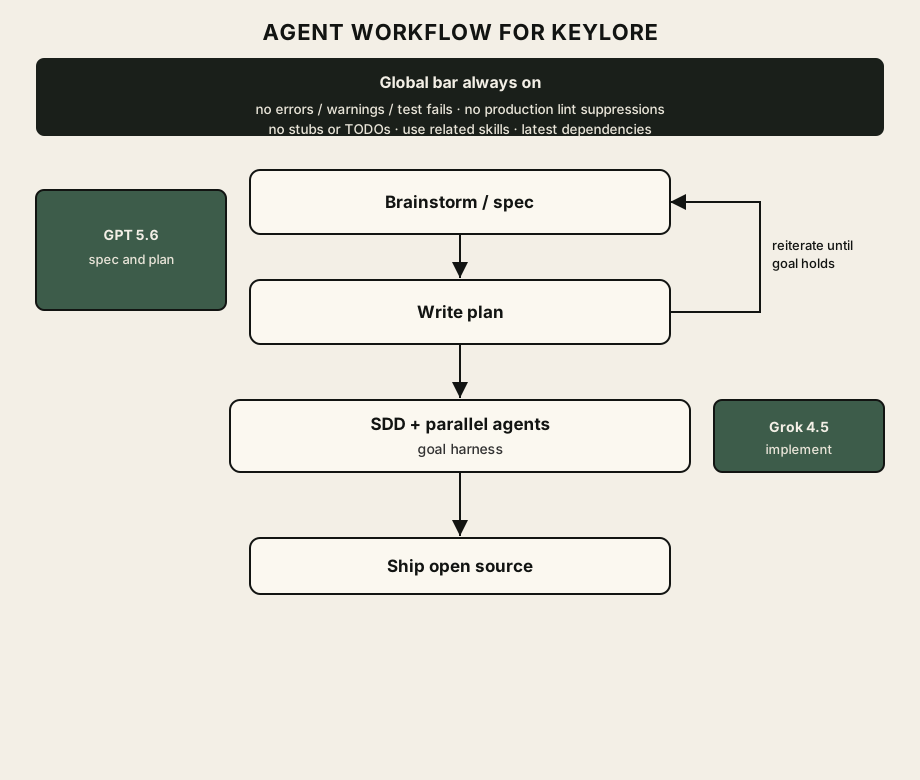
How it got built is a short story for this post. I planned the whole thing with GPT 5.6 on a sol ultra setup. Spec and plan ate almost a full day of a $20 package, with a reiterate loop until the goal held. Implementation ran on Grok 4.5 and moved a lot faster than the planning did. Spec first, plan next, push back until it stopped falling over, then subagent-driven development with parallel agents on the chunks. Shoutout to xAI for Grok 4.5; the implement pass was the fun part. Day 3 of this series goes into that loop for real. This one stays on why the app exists.
There is a product post next: discover, edit, kits, shortcuts, and how the safety model actually works. After that, the process post: who planned, who implemented, how the loop felt day to day, and the release mess I am still cleaning up. Three days, same thread.
And yes, about that release mess. I burned through my GitHub Actions minutes on other projects like a responsible adult with a hobby and a timer. So today there is no CI-built DMG for you to click. The code is open. The signed binary pipeline is me looking at the Actions dashboard and hearing crickets. Give me about ten days and I will put a proper build up. Until then, clone it and build on an Apple Silicon Mac if you are impatient, or wait with the rest of us.
I am also half looking for a good reason to stop treating GitHub as the only place builds can happen. Hosting the machines myself is on the list. Homelab energy. Not this week. The minutes first have to regenerate like a sad little meter.